
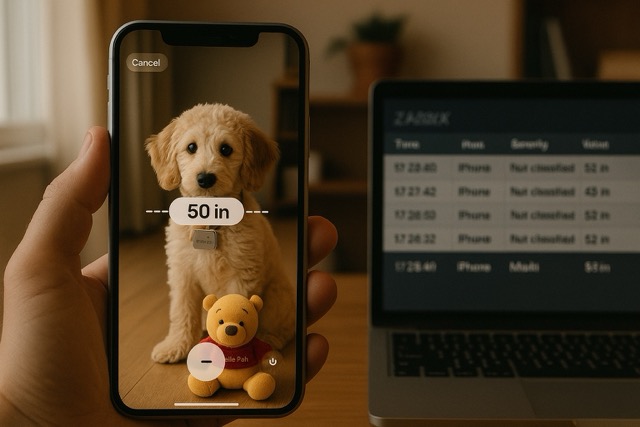
I admit, this entry is very far-fetched (or near-fetched, depending on your camera position), but I'm sure you can come up with actual use cases for this. One scenario I can think of is that if you have a CCTV in your factory or whatever and something should stay within X meters from the camera, you can do it with this trick.
Scrape the distance from a photo
So, I figured out that at least with an iPhone 16, likely with older versions too, your photos do include some data about how far the nearest and the farthest objects in the photo are from you camera. That data is a bit tricky to get out, but ChatGPT did help me.
If you inspect your photos with exiftool, you will find out that with HEIC format photos you get an awful lot of details, few of them related to distances: sneakily named FloatMinValue and FloatMaxValue. With the following script, things get more exciting.
#!/bin/bash
PHOTO="$1"
[ -z "$PHOTO" ] && { echo "Usage: $0 photo.HEIC"; exit 1; }
# Check dependencies
for cmd in exiftool bc; do
command -v "$cmd" >/dev/null || { echo "❌ Missing required command: $cmd"; exit 1; }
done
# Extract disparity values from XMP
min_disparity=$(exiftool -XMP-apdi:FloatMinValue "$PHOTO" | awk -F': ' '{print $2}')
max_disparity=$(exiftool -XMP-apdi:FloatMaxValue "$PHOTO" | awk -F': ' '{print $2}')
if [[ -z "$min_disparity" || -z "$max_disparity" ]]; then
echo "❌ Disparity values not found in metadata."
exit 1
fi
# Compute distances
nearest_m=$(echo "scale=2; 1 / $max_disparity" | bc)
farthest_m=$(echo "scale=2; 1 / $min_disparity" | bc)
echo "✅ Estimated distances from disparity data:"
echo "📏 Nearest object: $nearest_m m"
echo "📏 Farthest object: $farthest_m m"

With the absolutely gorgeous Zabbix coffee mug shot I just snapped, the script will then return the following:
✅ Estimated distances from disparity data:
📏 Nearest object: .09 m
📏 Farthest object: .79 m
Send the data to Zabbix
Now with the measurements, sending them to Zabbix will then be easy: just use good old zabbix_sender, or push the data with curl and Zabbix API history.push(). For example, with zabbix_sender something rhyming with this works if the above script would be extended with this in the end:
zabbix_sender -z 'your.zabbix.server' -s 'your.camera.host.in.zabbix' -k distance.near -o "$nearest_m"
zabbix_sender -z 'your.zabbix.server' -s 'your.camera.host.in.zabbix' -k distance.far -o "$farthest_m"
Create host in Zabbix
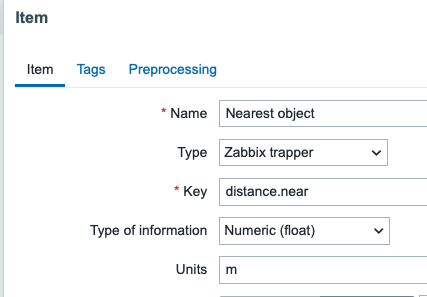
For this to work, let's quickly add a new host to my Zabbix, I called it iPhone as that's what I used to snap these test photos. I then added two Zabbix trapper type items with float as the item information type, like this:
Sending my data
Now that I run my script, this happens:

As said, this is one of the weirder entries even by my standards, but I hope you find this useful. Let me know if you got inspired by this to do something actually cool!
