
Currently with my home ISP, no ports are open from the outside world to my home, and that's a pretty tight rule.
Luckily, Tailscale allows me easy access to my selected devices from anywhere I may roam. Using Tailscale requires an account, but at home and smaller scale is free to use. There would also be self-hosted Headscale, but for now I'm using Tailscale as it was so easy and fast to take into use.
But do my devices stay connected with that Tailscale network all the time, or are they hopping on and off? I need to know! Why? Curiosity! How do we monitor it? With Zabbix, of course!
Tailscale network
With Tailscale or Headscale, you will then have a nice little mesh network formed with the devices you add to it. Your devices know about each other through a control server -- or that's how I have understood it -- and it works likes magic. Mostly. If I'm on the go, I just launch Tailscale app on my iPhone or whatever device I carry with me, connect to my Tailscale network with a push of a button and I'm in. From there I can then access for example my personal Mac or my What's up, home? Raspberry Pi 5 or few other devices.
Here's an example output of tailscale status command, censored a bit for IP addresses and account name:
100.xxx.xxx.xxx  flawpatrol          accountname  freebsd  -
100.xxx.xxx.xxx  c133                accountname  freebsd  -
100.xxx.xxx.xxx  garage              accountname  linux    -
100.xxx.xxx.xxx  iphone              accountname  iOS      offline, last seen 1h ago
100.xxx.xxx.xxx  jannes-macbook-pro  accountname  macOS    -
100.xxx.xxx.xxx  raspberrypi         accountname  linux    -
That's good enough for us humans, but for machine parsing one can use tailscale status --json. It comes with many bits and pieces, relevant for this case being these:
"Created": "2026-03-11T07:17:51.190324031Z",
"LastWrite": "0001-01-01T00:00:00Z",
"LastSeen": "2026-03-19T13:54:58.1Z",
"LastHandshake": "0001-01-01T00:00:00Z",
"Online": true,
Much better for Zabbix!
Sloppin' a template
Lately I've been using Claude, so I gave it a shot to create the template for me based on that JSON output. After a bit of Insult Swordfighting™ of Melee Island™, it completed it successfully -- it first threw itself to ground with some erratic lines on YAML template, such as malformed uuidv4 entries.
How well did it do? I asked it to
- Do the template based on JSON output
- Discover all the hosts in my Tailscale network with LLD
- Create an information severity alert if a host goes offline just so I can track it
- Create a high severity alert if a new host appears to my Tailscale network
Let's check the results. Looking good, the template got imported.

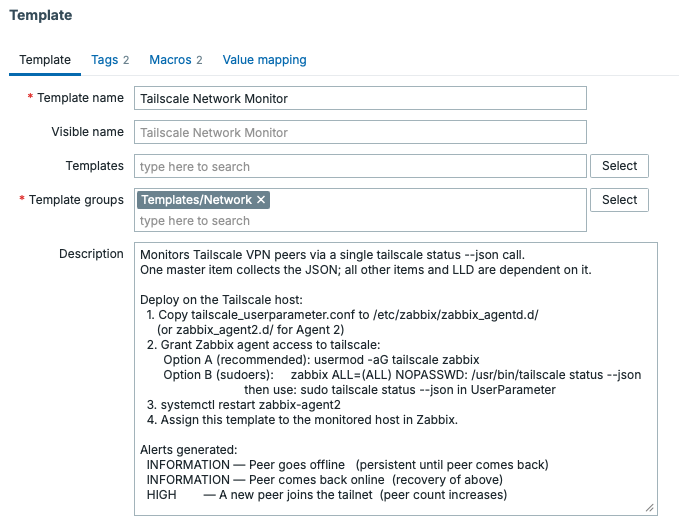
It even added a longish description for the template.
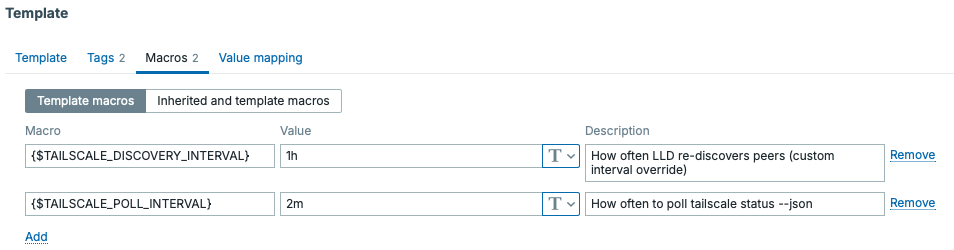
Under Macros, it added few options to tune the polling and discovery intervals
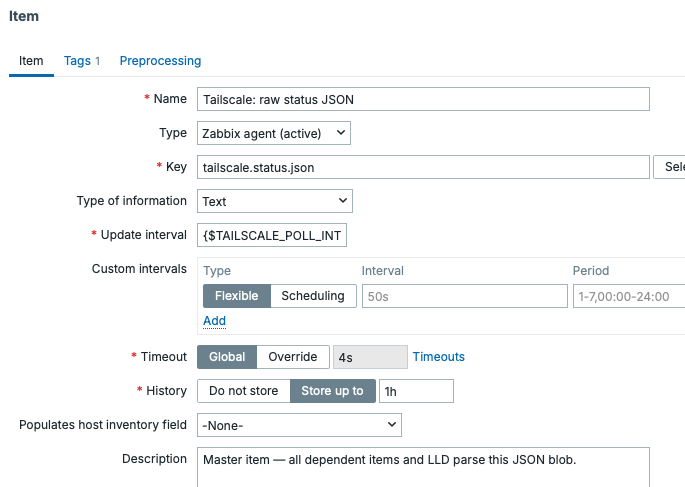
For items, it added a master item which fetches the master item from a Zabbix Agent UserParameter, with the UserParameter just calling the tailscale status --json command.

In my Claude prompt I asked it to add a High severity trigger if new hosts appear to my Tailscale network, as that should not happen. Oh well, it did just that. Don't mind my stupid experiment of replacing the severity names with emojis, that's not done by Claude.

Under Discovery, it added two item prototypes and one trigger prototype.

Basically it added prototypes for when a host was last seen and if it is currently online or offline.
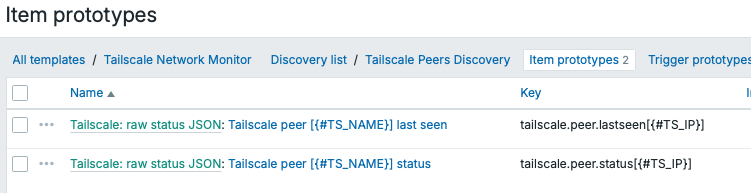
For trigger prototypes, it successfully added an info severity alert if a host goes offline, just that I can track their status. These alerts will not reach me via e-mail or other media.

But does it work?
Oh yes it does. I disconnected my iPhone from Tailscale just to see if the template works and for the sake of demonstrating the offline status in this blog post.
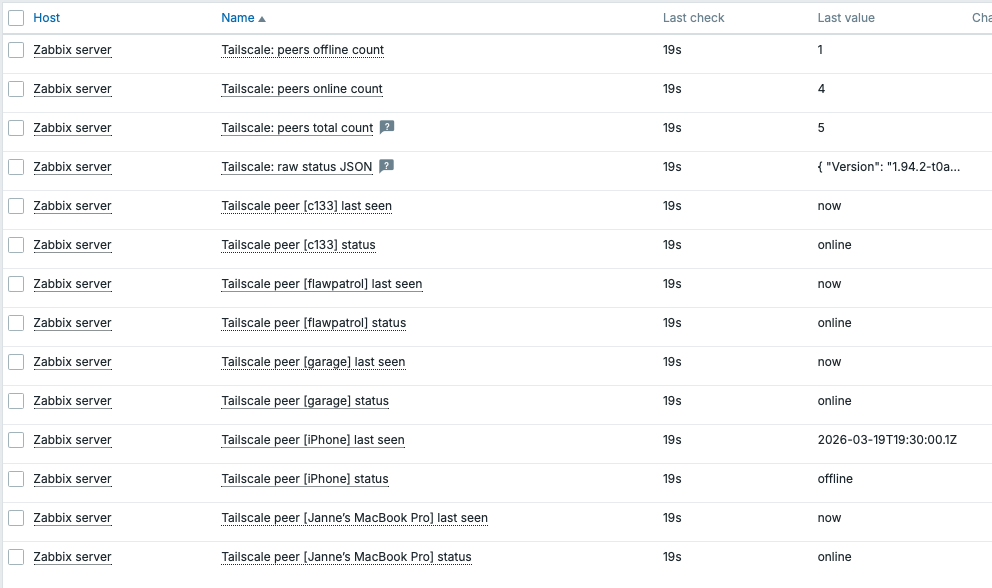
Overall this went better than expected! Maybe the item pre-processing could use some Discard with Heartbeat love and maybe those online/offline could be numeric metrics so they could tracked better, but in this case I don't care thet far. It's getting late so I'm going to bed instead.
I'll be sure to hand-craft templates too, because too much AI is not good for you, but because having an argument with your computer is today's way of accomplish your tasks, I'm trying out that.
