Did you know you can use your MacBook Pro trackpad as a scale? Now you know. Did you know that you can also monitor the recordings with Zabbix? Of course you can!
I stumbled upon TrackPad Weight Scale and I couldn't help myself, I just had to try it out.
Installing TrackPad Weight Scale
Installation was almost as smooth as the GitHub page promises; throw in few commands and you are done. Well, in my case I had to change Sources/TrackPadWeight/TrackPadMonitor.swift line 134 from
if !self?.hasReceivedMultitouchData == true {to
if self?.hasReceivedMultitouchData != true {to make it compile. After the change,
swift run TrackpadWeightworked smoothly.
Using TrackPad Weight Scale
Your Mac gains a new icon to its top bar. Click on it and you'll see this:
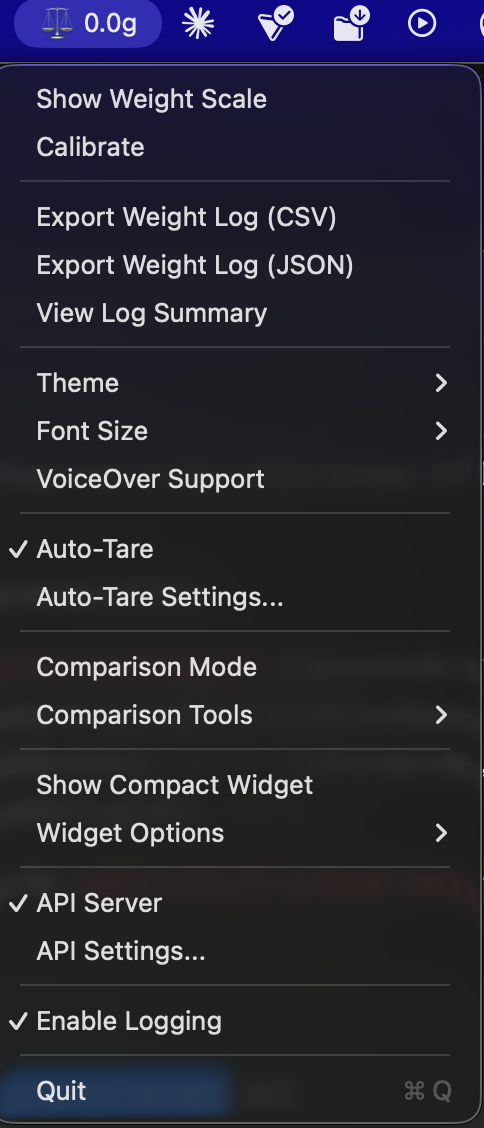
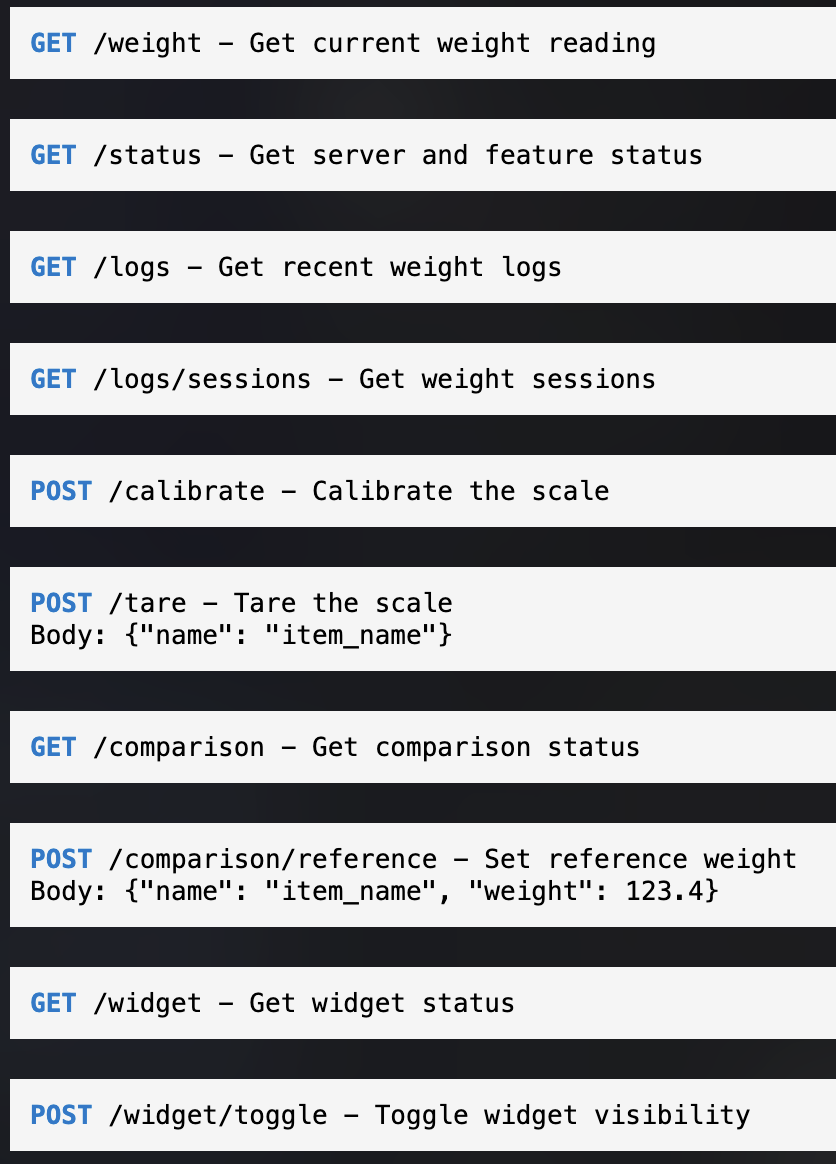
In my case, I of course enabled the API Server to make this thing available for Zabbix. Now, if I surf to my http://personalmac.whatsuphome.lan:8080/, I get to see
Integrating with Zabbix
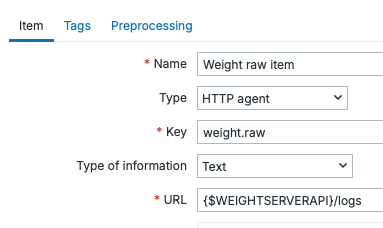
Now that we have the API, let's try it out. I added a simple HTTP Agent item:
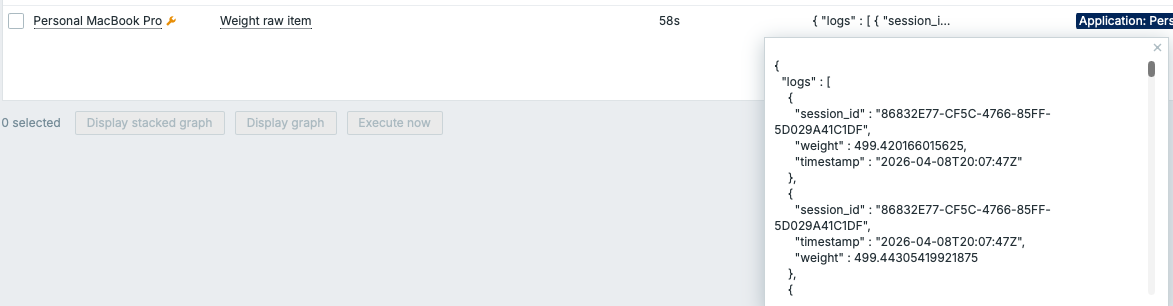
Does it work and what does it return? Yes, it works, we get back JSON:
This was easy, so next I added a new dependent item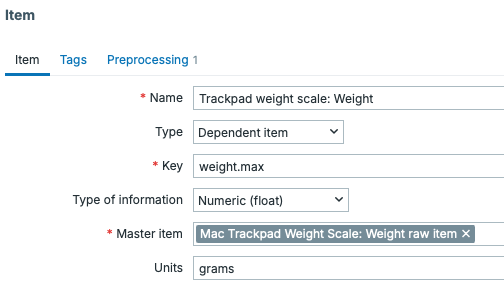
... and some item preprocessing to get the maximum weight, which likely is the most reliable reading out of the many readings this thing is doing.
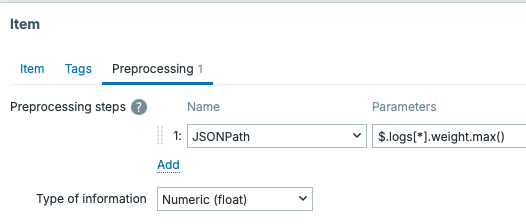
The result
Can Zabbix now parse my results? Of course it can!

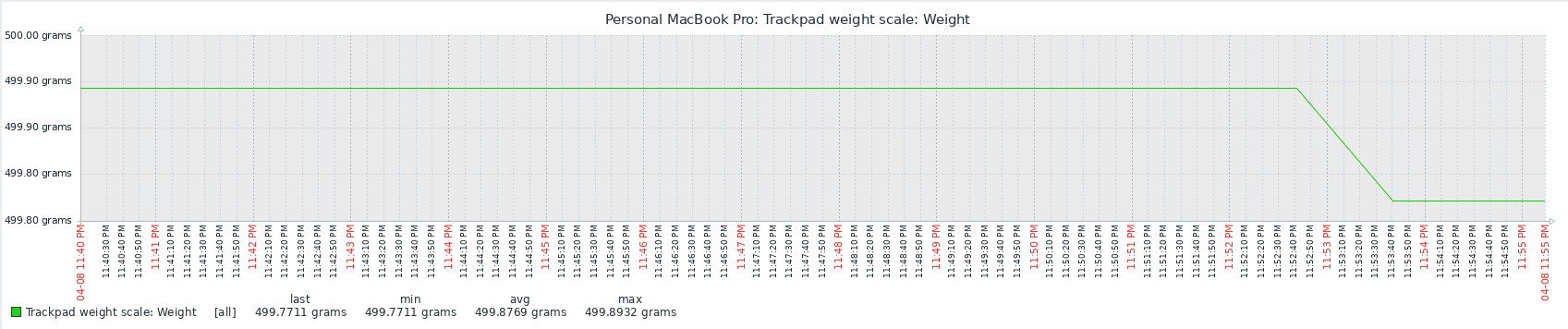
Isn't life beautiful? With this technique, I would not necessarily know WHAT I measured (unless I stick with a single object, such as my coffee mug), but at least I get to measure something. Wohoo!
Workaround to get to know what I measured would be to expand this to a custom menu item in Zabbix. The menu item would ask what am I gonna measure, and then the script would send a POST request to /tare. After that.I could go and measure, but nah, didn't bother to do that for this silly little hack.
