

Hint to this blog post came from my Forcepoint colleague -- today I visited our Helsinki office after a long break and looks like that at least one of my colleagues follows my blog. With Raspberry Pi and any device using SD cards, there's this real fear of sudden hardware failure of the said SD card. Writing lots and lots of data to them will eventually make them go bad. But can you predict that with Zabbix? Of course you can!
But there's no SMART support!
With your regular HDD/SSD drives, the built-in SMART reporting provides you more details about your HDD and SSD than you probably care about. From hours powered on to errors to failed blocks, you have it all there. Seeing all those details is easy via smartctl tool.
SD cards are different beasts, they do not come with SMART. However, there's a way to eee very similar metrics for early prediction of an upcoming SD card failure. If Linux kernel has debugfs mounted, you should be able to do this:
sudo cat /sys/kernel/debug/mmc0/err_stats
# Command Timeout Occurred:      0
# Command CRC Errors Occurred:   0
# Data Timeout Occurred:         2
# Data CRC Errors Occurred:      0
# Auto-Cmd Error Occurred:       0
# ADMA Error Occurred:   0
# Tuning Error Occurred:         0
# CMDQ RED Errors:       0
# CMDQ GCE Errors:       0
# CMDQ ICCE Errors:      0
# Request Timedout:      0
# CMDQ Request Timedout:         0
# ICE Config Errors:     0
# Controller Timedout errors:    0
# Unexpected IRQ errors:         0
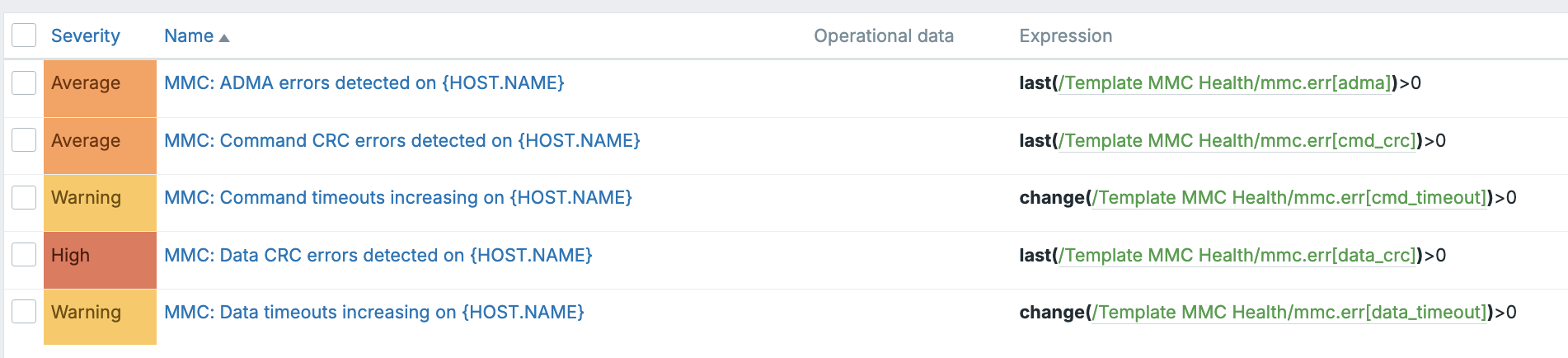
The output above is from my Raspberry Pi 5, and looks like that the SD card is still in ok shape. Only two data timeouts occurred during the 12 days my RPI5 has been up since the last reboot does not sound too alarming. Even better, no CRC errors or those other scary errors at all. Should those numbers rise, Zabbix should alert immediately.
Zabbix part
I added a new template which uses Zabbix agent and its UserParameter feature to get the results. UserParameter runs this:
UserParameter=mmc.err.raw,sudo cat /sys/kernel/debug/mmc0/err_stats
Basically, it reads the command output into a new raw item, which will then populate the dependent items. Regular readers of this blog know this dance very well, as this is a very effective way to get many metrics to Zabbix with only one command,. no need to run cat or grep or any other commands 15 times to get the all the details.
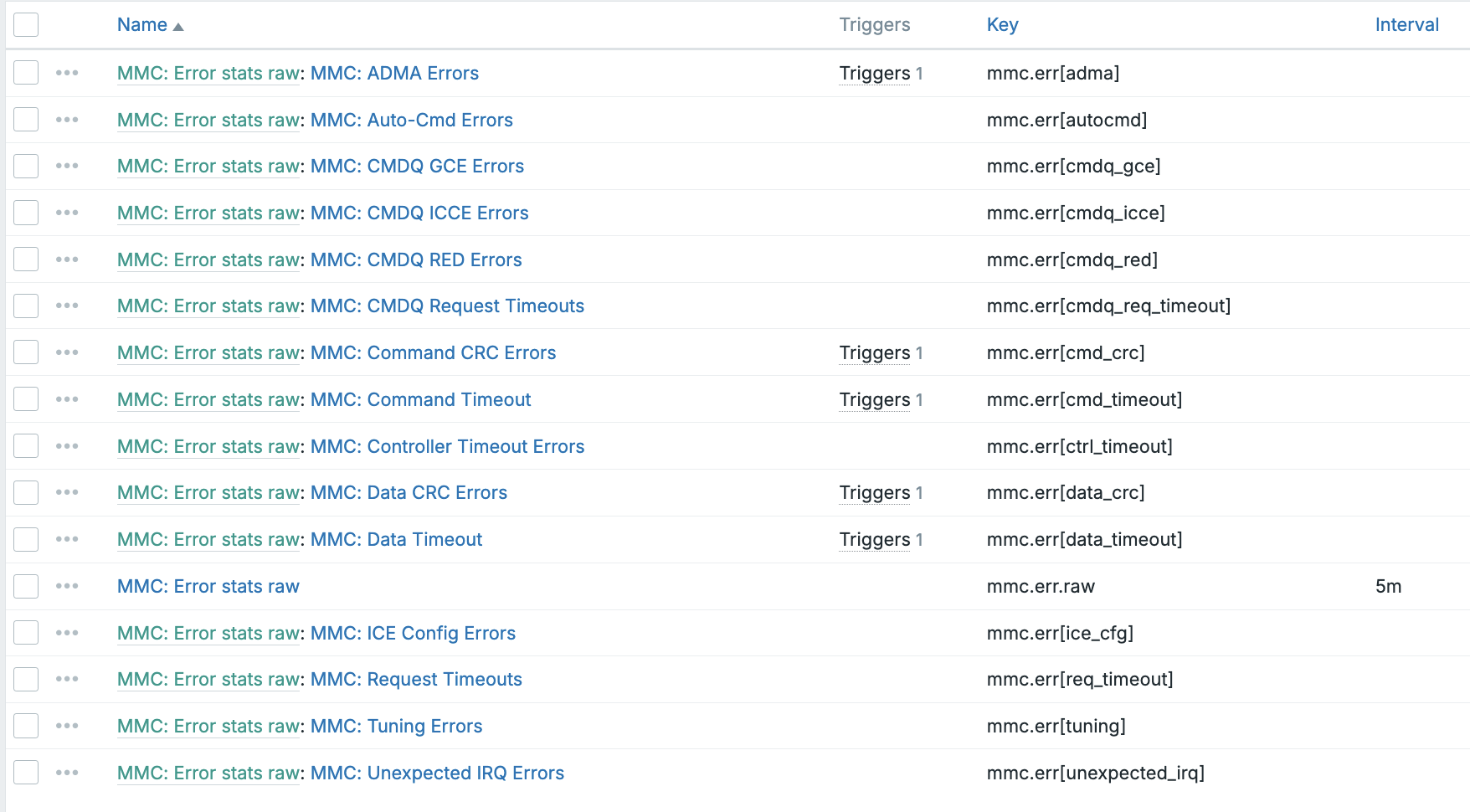
And then few triggers:
Is it working?
Well, of course it is!
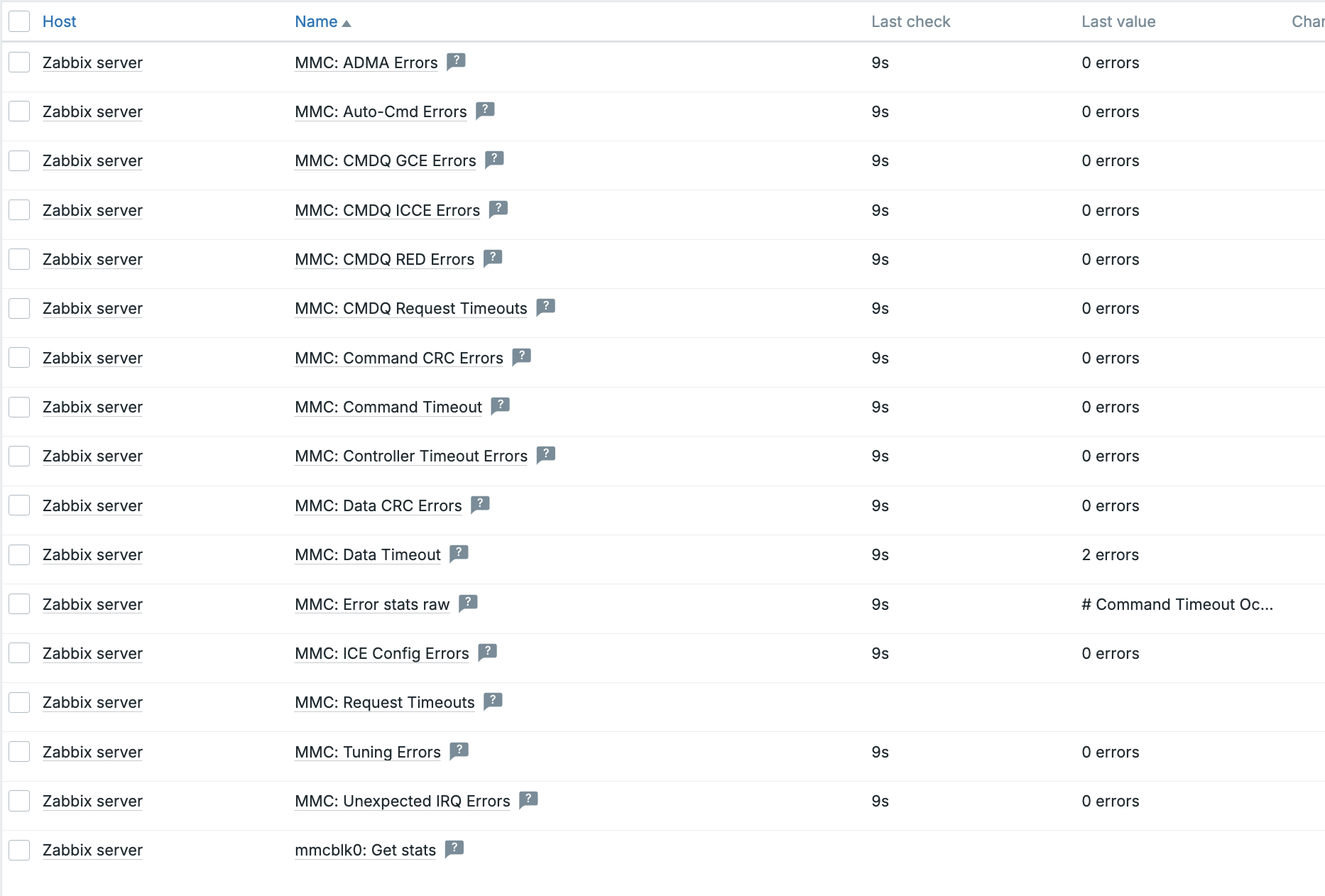
For real use, it would be trivial now to add a dashboard to monitor all these details as graphs or item values or any other way one likes. For now, I'm happy that I get some alerts if my SD card starts to go bad. Thanks to my dear colleague for suggesting this blog post for today! :)

Comments (5)
SD errors
Asko Hiltunen (not verified)
Excellent! Better know than guess. You will probably see signs when the disk is running out of hours.
There will be signs
whatsuphome
Health on RPi
Kimmo T (not verified)
Hmm, so far our (Asko mainly) testing on RPi has shown that the eMMC device does not support JEDEC spec 5 and so has no data on healt (life_time or pre_eol). But was RPi 5 tested Asko?
Coming from kernel?
whatsuphome
Cool, but needs a newer kernel.
Mike G (not verified)
Really handy.
I have a couple raspberry pi's I was interested in trying this out on. While not ancient, the Linux kernel used is v5.10 there. Now, I have a good reason to upgrade the distro. :-)